 Asal Ku Training
Start here › Lesson 11
Birthdays and anniversaries
See birthdays, wedding anniversaries and remembrance days on a calendar, choose what to show, and add them to your phone with reminders.
In this lesson you will learn
- What the calendar shows and where the dates come from
- How to read the month and the list of what is coming
- How to choose what to show
- How to add the dates to your phone's calendar with an alert
Where do the dates come from?
You do not type anything into the calendar. Asal Ku reads the dates already in your trees:
| It shows | It uses | Only if |
|---|---|---|
| Birthdays (blue dot) | A person's birth date | The birth date has a year, month and day, and the person has not passed away |
| Anniversaries (pink dot) | A couple's marriage date | The marriage date is a full date and the couple is not divorced |
| Remembrance days (grey dot) | A person's death date | The death date is a full date |
The most common reason is that the dates are only years (1965). Open the person (lesson 6) and add the full date (1965-10-05). The calendar includes every tree you can open: your own, ones you manage, and ones shared with you.
Open the calendar
Tap Calendar in the bottom bar.
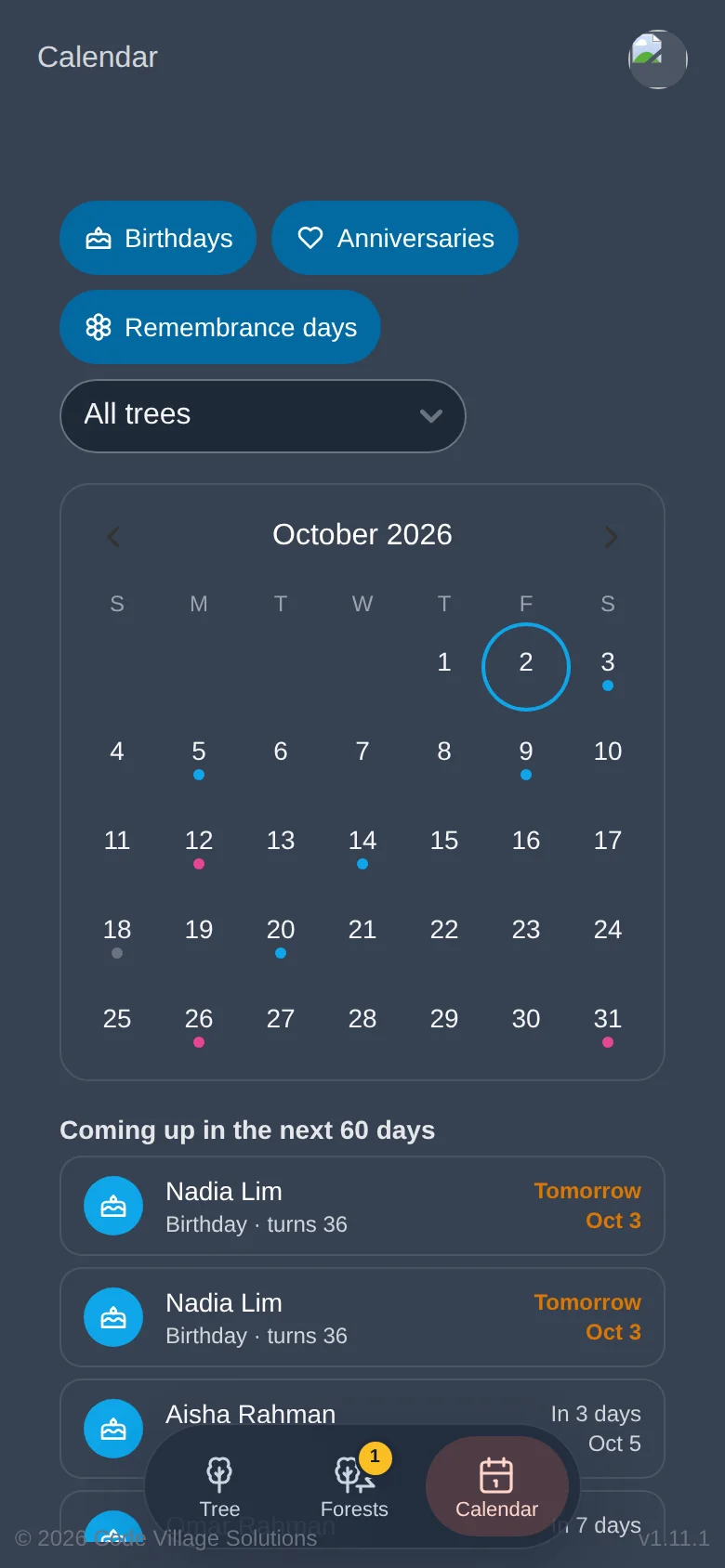
The filters at the top: Birthdays, Anniversaries, Remembrance days. A blue button is on; tap it to turn that kind off. If you have more than one tree, a list lets you choose All trees or a single tree.
The month: tap the arrows to go to the previous or next month. Today is ringed. A coloured dot under a day means something happens on it.
Tap a day to see who or what it is.
Coming up in the next 60 days lists the next dates: whose birthday it is and how old they turn, or how many years the anniversary or remembrance is. "Tomorrow" is shown in orange.
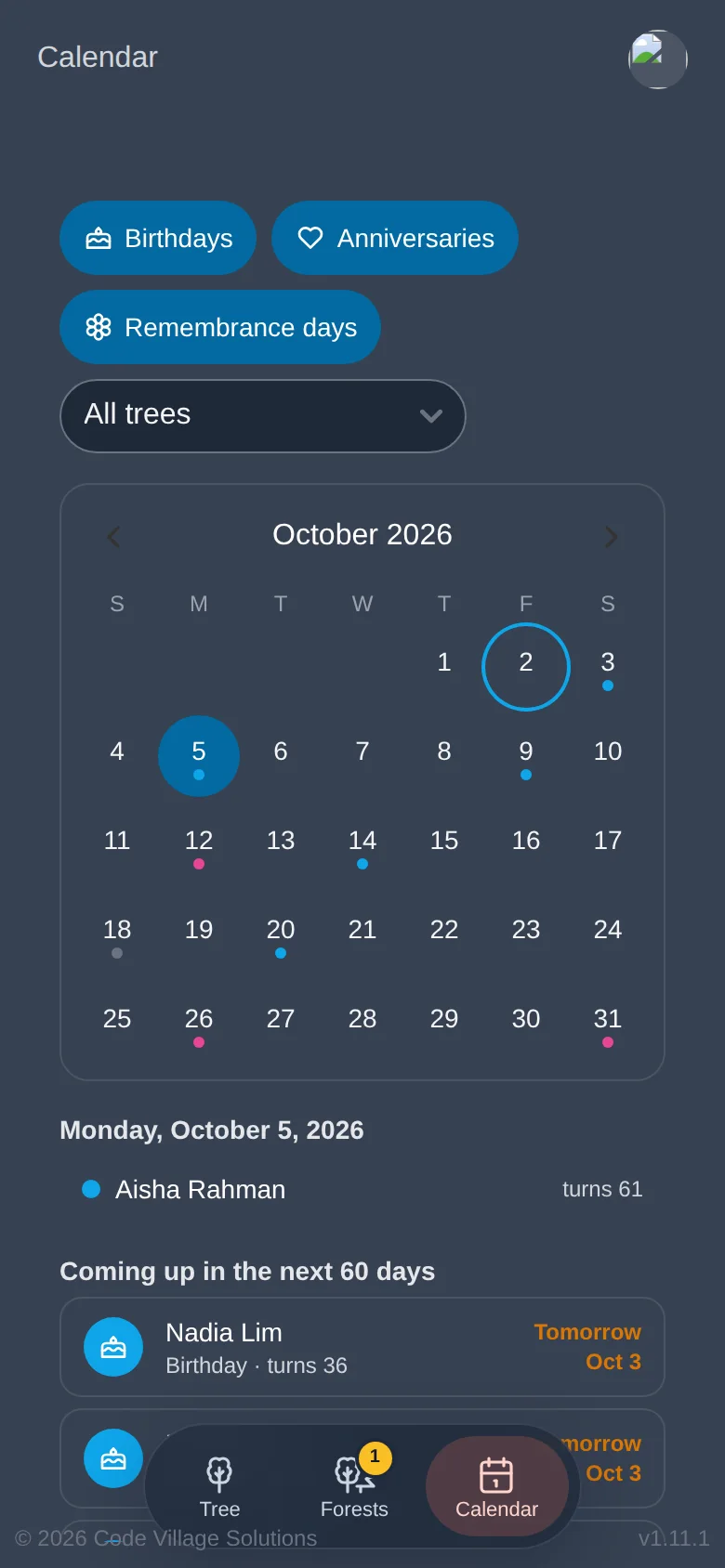
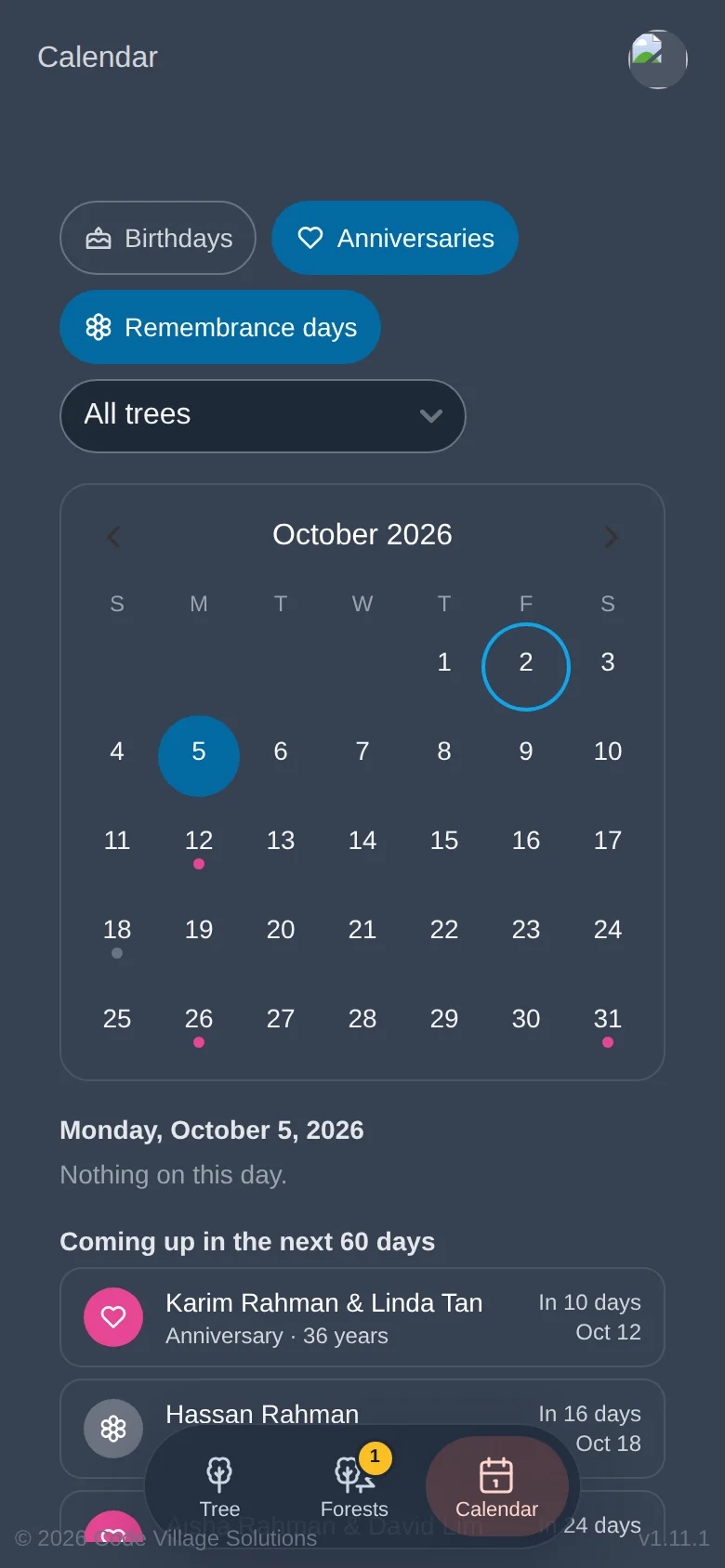
Your choices of filters and tree are remembered on this device.
Reminders on your phone
Asal Ku can hand your dates to your phone's own calendar, which then alerts you even when Asal Ku is closed.
Scroll to the bottom of the Calendar page, to Reminders.
Choose when the alert comes: No alert, On the day, 9:00, 1 day before or 7 days before.
Tap Add … dates to my calendar (.ics). The number is how many dates are included.
Your phone downloads a small file. Open it, and your calendar app (Google Calendar, Apple Calendar, Outlook) offers to add the dates.
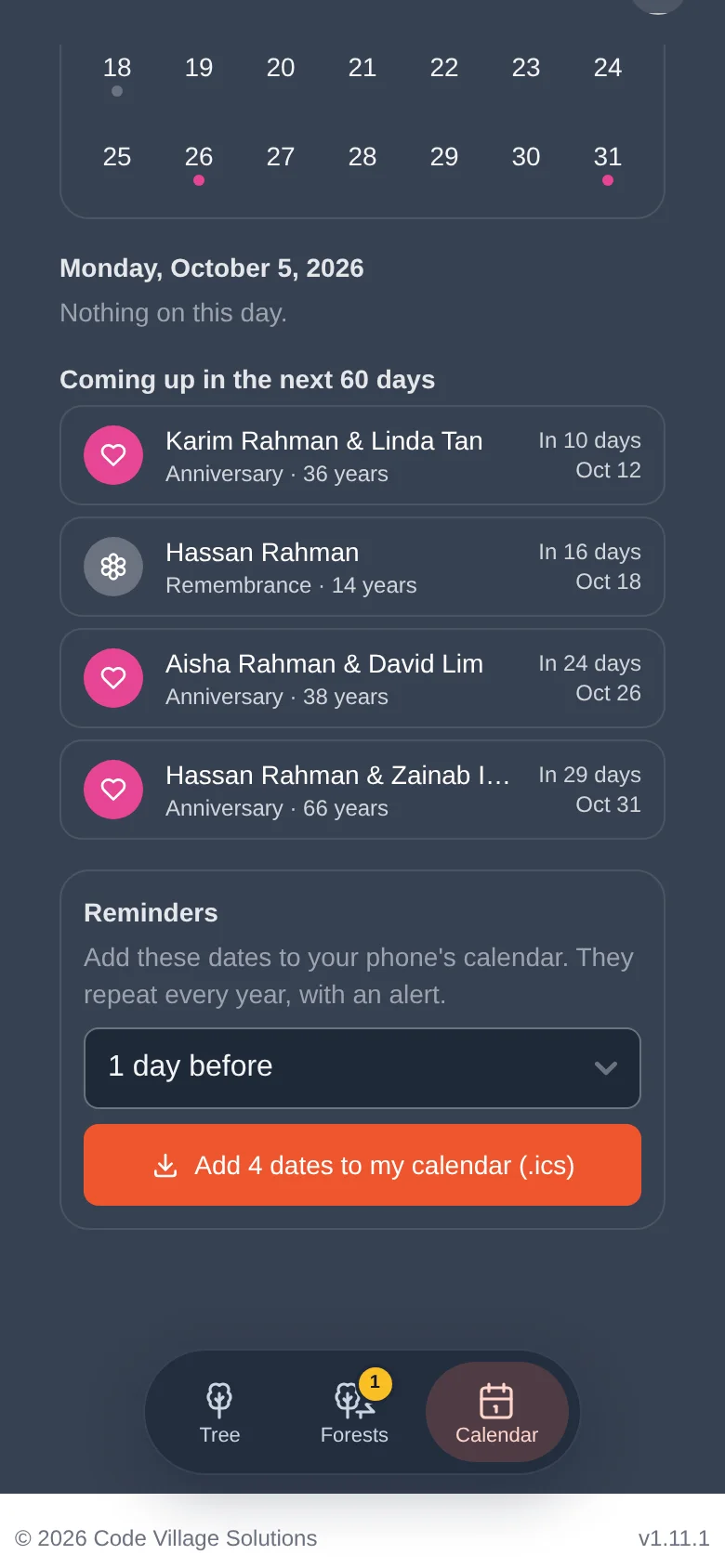
The dates repeat every year, each with your chosen alert. Only what is currently shown (after your filters) is included. If you add new people later, download the file again.
Try it yourself
- Open someone in your Practice Tree and give them a full birth date this month or next.
- Open the Calendar and find the birthday in the month and in the 60-day list.
- Turn Birthdays off and on again.
Remember
- Dates come from your trees. Full dates (year-month-day) are needed.
- Three kinds: birthdays, anniversaries, remembrance days.
- The reminders file adds yearly dates to your phone, with an alert.